Gowin's Crazy DTF
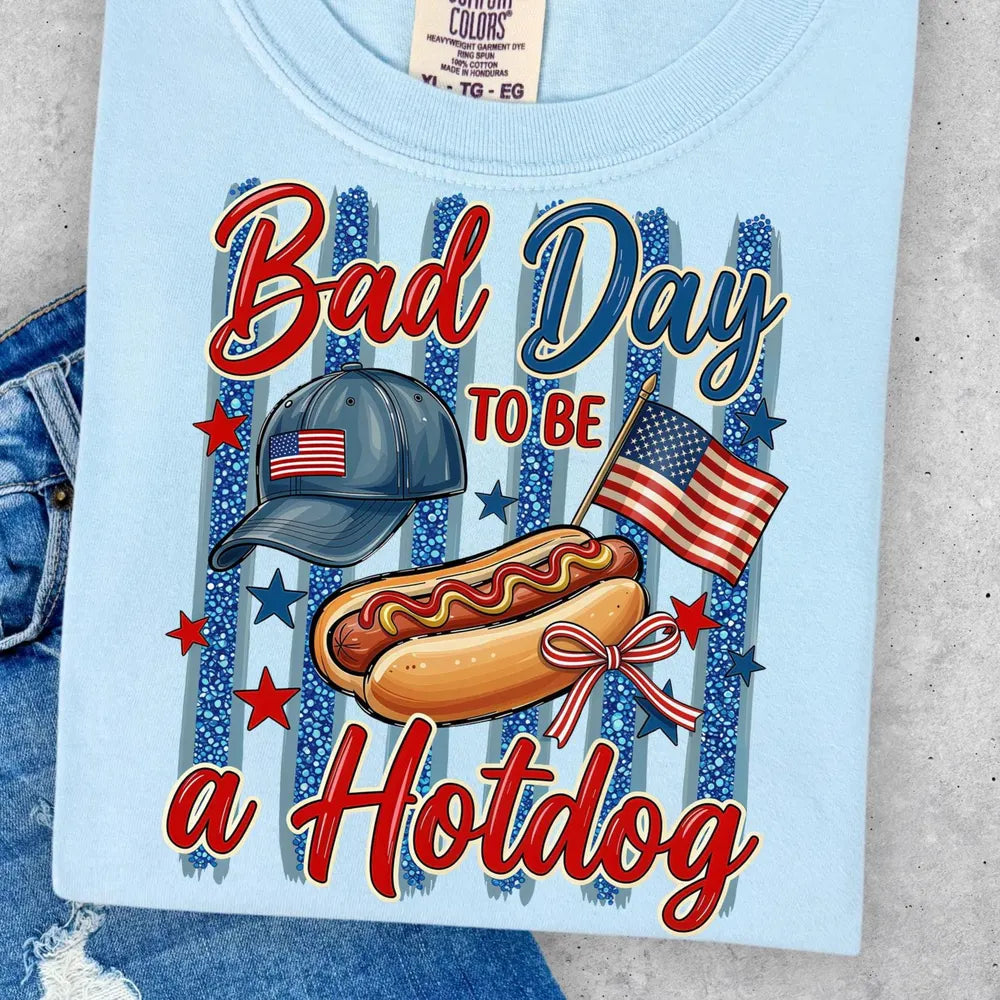
Bad Day To Be A Hot Dog DTF
Bad Day To Be A Hot Dog DTF
Couldn't load pickup availability
To apply DTF transfers, set your heat press to 305–310°F with firm pressure (level 7).
The design will be printed as a mirror image with white ink on top.
Place the garment on the press and position the transfer so the image reads correctly facing up.
Press firmly at 310°F for 10 seconds.
For a hot peel, start at a corner with the most ink coverage and peel quickly in one motion, like removing a bandage.
For warm or cold peel, remove the garment first, then peel off the film.
Finally, place the garment back on the press, cover with a standard or Teflon sheet, and press for 5 seconds.
Gowin Crazy DTF is not responsible for any damage due to user error, so be sure to follow the pressing instructions carefully.
Share